Best Group Photo for AI Dance: A Practical Input Guide
By Chipmunks Dance AI Team · Chipmunks Dance AI product team
- Group photo
- Image preparation
- Photo to video
- Input checks
The best group photo for an AI dance video is one that makes the intended people and movement easy to understand. Clear faces, separated bodies, even light, and enough room around the group matter more than a fashionable filter. Chipmunks Dance AI accepts one still image, so the composition has to work as a whole. This guide explains how to choose that image before spending credits and when filming or text-to-video is a better choice.
Make your chipmunks dance video
Use a clear, well-lit photo you have permission to animate. A group photo helps keep everyone in the same scene.
Describe people, formation, movement and camera. Exact movie choreography, song or identity is not guaranteed.
Seedance 2.0 · 720p · 9:16
Choose a photo to continue.
By creating, you confirm you have permission to use your photo and prompt. Terms
Generation time varies. We show the actual task status after submission.
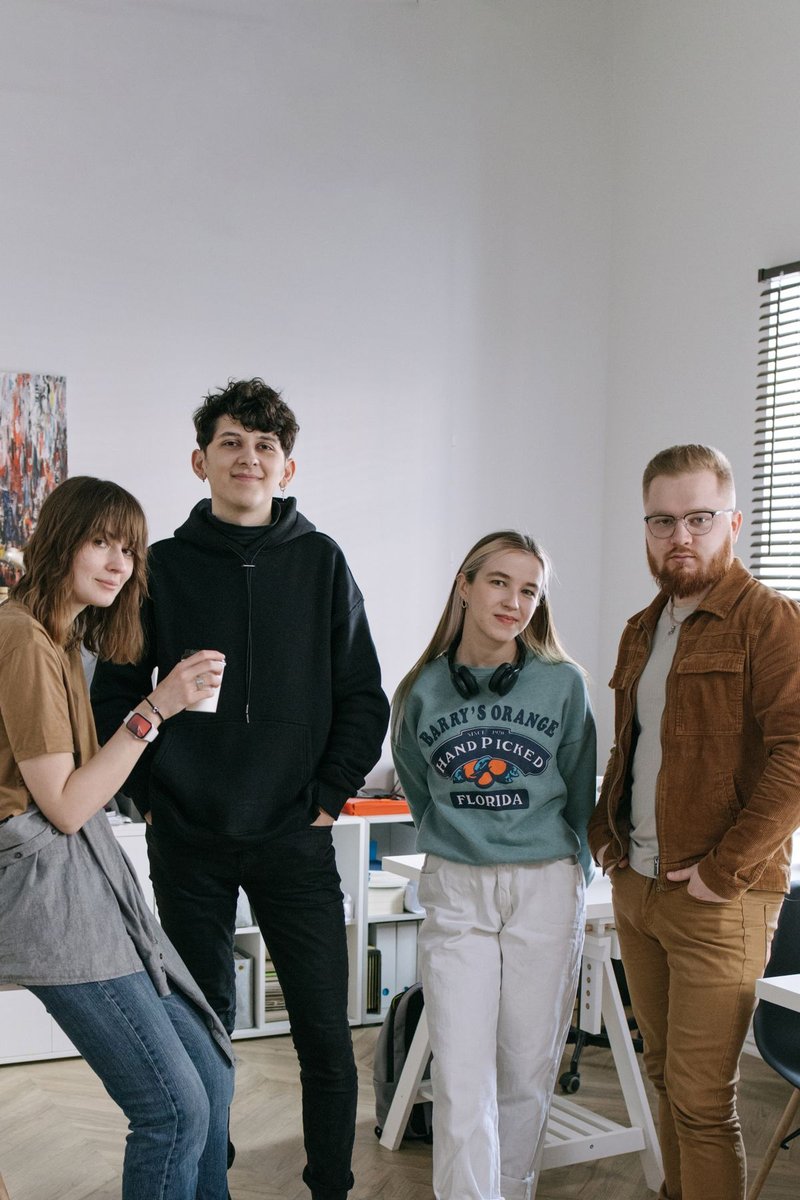
Match the crop to the movement you want
Start by comparing the visible body area with your planned action. A close-up selfie can show expressions clearly, but it provides little information about legs, floor space, or how several people stand together. Asking that image to become a full-body dance requires the model to invent much of the scene. If your goal involves footwork, choose a photo where feet and the surrounding space are visible.
An upper-body image can still support a restrained request for shoulders or a gentle pose change, provided you accept that the model interprets the missing information. Do not assume that enlarging a small face adds detail that was never captured. Select the original photo when available, inspect it at ordinary viewing size, and choose a movement that respects its composition rather than trying to force every image into the same dance.
Check spacing before expressions
Look at each person’s outline. Are arms attached to a clearly visible torso? Is one face partly behind another head? Does clothing merge into the person next to it? A flattering group pose can still be difficult to animate when everyone is tightly overlapped. More breathing room between subjects gives you a clearer starting frame and makes later mistakes easier to spot.
For a trio, a shallow diagonal or a gently spaced line can be useful. Avoid a deep single-file arrangement if you need all three faces visible throughout. These are practical composition choices, not a guarantee of model behavior. If you cannot find a photo with the desired spacing, take a new permitted picture or change the brief. A prompt cannot reliably recover an entire person hidden behind someone else.
| Photo issue | Why it matters | A practical response |
|---|---|---|
| Feet cropped out | Full-body movement needs invented detail | Choose a wider original or reduce the movement |
| Overlapping faces | People are hard to distinguish | Use a clearer group arrangement |
| Strong backlight | Faces lose visible detail | Choose even light |
| Heavy smoothing filter | Real facial detail is reduced | Use an unfiltered original |
| Crowded background | Subjects are harder to read | Choose a simpler setting |
Prefer usable light to a dramatic effect
Even lighting helps you inspect the people before upload. A bright window behind the group can leave faces dark, while strong colored party lights can make clothing and skin hard to distinguish. You do not need studio equipment: a clear photo in comfortable, even light is a useful starting point. Avoid assuming that a dramatic still image will become a more coherent moving image.
Check the darkest and brightest parts of the photo. If important details are lost in shadow or glare, choose another exposure rather than relying on a text instruction to reconstruct them. Keep expectations modest if the only available picture is old, compressed, or blurred. Ordinary editing can improve presentation, but it cannot turn missing information into verified detail about the people shown.
Prepare one file and confirm permission
The current upload accepts JPG, PNG, or WebP with a maximum size of 10 MB. Select one image containing the group; the interface does not provide separate portrait slots for individual identities. If your photo is in another format, export a supported copy using a tool you trust. Keep the original separately. Check that the exported copy still looks clear and has not introduced a strange crop or rotation.
Permission is part of preparation, not a box to think about after publishing. Use images you have the right to upload and agreement from the adults whose likenesses you want to animate. Avoid including unrelated bystanders or private background details that serve no purpose in the video. If you do not have a suitable permitted photo, text mode offers a way to describe fictional adults without uploading someone else’s image.
- Open the original and inspect the whole group.
- Check faces, bodies, light, and background details.
- Choose a supported file under 10 MB.
- Confirm permission from the people represented.
- Upload the single image and describe restrained movement.
Describe what should move and what should stay
After choosing the photo, write a prompt that fits it. Specify one visible movement, such as small side steps or relaxed shoulders. Ask for a steady view and explain that people should remain in their starting positions if that matters. You can request consistency in clothing and background, but those requests are not locks. The result still needs inspection rather than automatic approval.
Avoid combining a new location, new outfits, elaborate camera travel, and a difficult routine in the first brief. Those instructions make it harder to know which change caused a disappointing result. A hypothetical starting prompt might keep the group’s arrangement and ask for a gentle shared movement. If the output is useful, you can decide whether another paid variation is worth exploring; the initial submission is not a free rehearsal.
Review the result against the photo
Keep the reference available while reviewing the finished clip. Compare the number of people, their faces, clothing, hands, and relative positions. Watch the beginning, middle, and end rather than checking only a thumbnail. Movement can introduce changes that are invisible in the first frame. If the result changes an important person or detail, do not present it as an accurate record of what the group actually did.
Download a usable result before the output retention period ends. The current service keeps uploads for seven days and completed videos for thirty days. A private guest access link or signed-in account controls access; it is not a substitute for keeping your own exported file. If a task fails, its reserved credits return according to their original source. If it completes but does not suit your creative brief, review the issue before choosing another charged attempt.
Frequently asked questions
Is a selfie suitable for a full-body dance?
A selfie may provide facial detail but little information about legs or surroundings. Choose a wider group photo for full-body movement, or keep the requested action within the visible upper body.
Can I upload three individual portraits?
The current image mode accepts one still image. It has no separate identity slots, so use one suitable group photo when you want the people represented together.
What happens if my file is too large?
The upload is rejected with a size explanation. Export a supported copy below 10 MB, inspect its quality, and select that copy. Do not repeatedly submit the same oversized file.
Does a sharp photo guarantee unchanged faces?
No. A clear reference reduces ambiguity but cannot guarantee identity consistency in generated motion. Review the whole video, especially when faces overlap or turn.
Can I use text mode instead?
Yes. Text mode is useful for an original imagined scene when you do not have a suitable permitted photo. It invents the people and setting rather than preserving a real group.
Give your group a dance of its own
Create my dance video