Chipmunks Dance: Find the Trend and Make Your Own Clip
By Chipmunks Dance AI Team · Chipmunks Dance AI product team
- Chipmunks dance
- Group dance
- Video ideas
- AI video
Chipmunks dance can mean several different things: a three-person social dance, a scene from an Alvin and the Chipmunks film, a dancing-animal meme, or an AI video inspired by those ideas. Start with the result you actually want. To repeat a particular creator’s moves, learn and film that routine. To imagine a new scene or animate a photo you have permission to use, try text-to-video or image-to-video. Those routes share a keyword, but they produce different results.
Make your chipmunks dance video
Describe people, formation, movement and camera. Exact movie choreography, song or identity is not guaranteed.
Seedance 2.0 · 720p · 9:16
By creating, you confirm you have permission to use your photo and prompt. Terms
Generation time varies. We show the actual task status after submission.
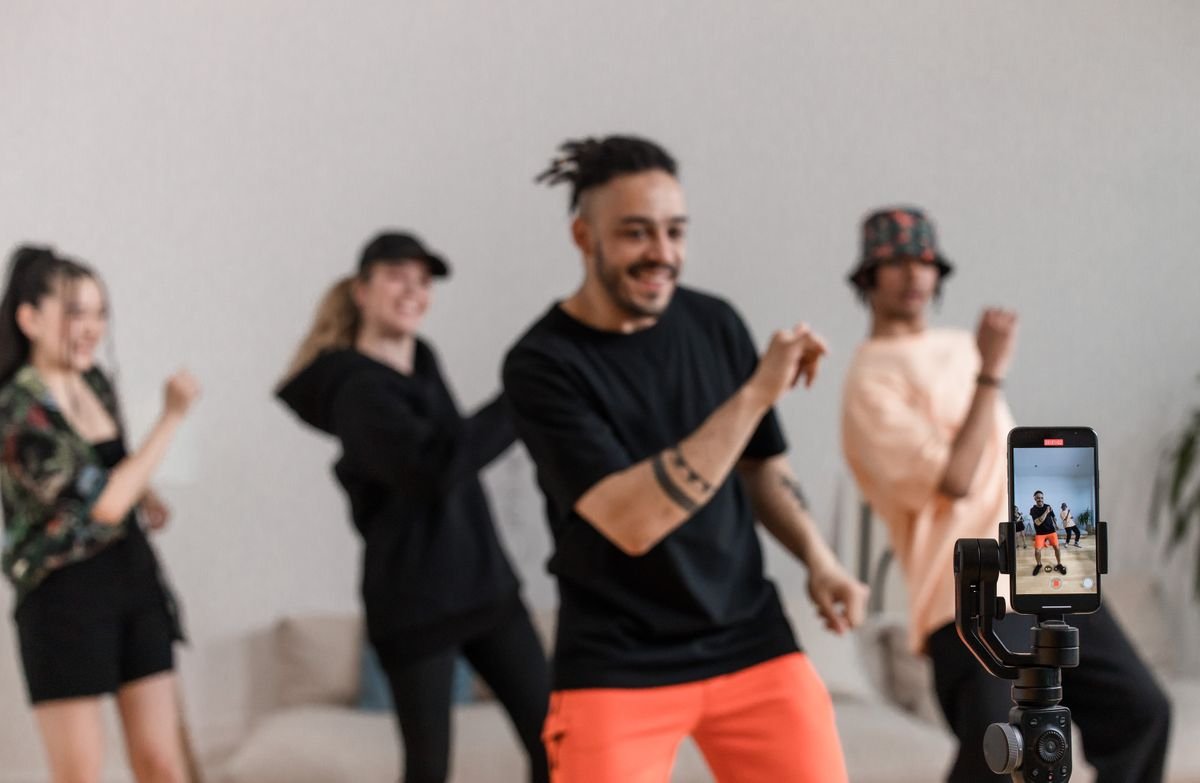
First identify which chipmunks dance you mean
A search result is only the beginning. Open the specific post that caught your attention and notice who appears, how the formation changes, what audio is attached, and whether the clip is live action, animation, or an edited film scene. Save the link for your own reference. A title containing the same two words does not establish that two videos use the same steps or recording. This matters especially when a short repost has removed the beginning, changed the speed, or added a different soundtrack.
Describe the desired output in one sentence before choosing a tool. “I want to learn the three-person routine” calls for practice and filming. “I want an imaginary woodland trio dancing” calls for an original animation. “I want my friends in a playful dance scene” may suit a group photo and an AI interpretation. “I want the movie scene” is a request to find an existing work, which this generator does not supply. That small distinction prevents a purchase made for the wrong capability.
Choose the route by the file you need
If the timing of every step matters, filming gives you direct control over the performance. You can rehearse a formation change, repeat a take, and select the moment where everyone stays visible. An editor can then trim your own footage and arrange music you are allowed to use. You do not need an AI subscription merely to record yourself dancing. The practical limits are your available space, light, camera position, rehearsal time, and the consent of the people in the shot.
An AI route is useful when the scene itself is the creative idea: a made-up stage, original animal characters, or an interpretation based on a suitable photo. A text prompt describes an intended movement; it is not a frame-by-frame choreography program. A photo supplies visual information but cannot guarantee that every face or hand remains identical throughout the output. Choose this route when you can evaluate an interpretation on its own merits, rather than expecting it to be interchangeable with the exact post you watched.
| Your goal | Starting material | Useful route | Main limitation |
|---|---|---|---|
| Repeat exact steps | A routine you can practise | Film your own performance | Requires rehearsal and space |
| Animate your group | One suitable, permitted photo | Image-to-video | Identity and motion may vary |
| Invent a scene | A written idea | Text-to-video | No exact character or choreography guarantee |
| Find a movie moment | The title or original post | Locate the existing work | This tool does not supply film clips |
Write a small, visible action before adding style
Begin with the number of performers, their spacing, one movement, and the camera framing. For a trio, a shallow diagonal often makes the intended arrangement easier to describe than “everyone behind the leader,” which can hide the back people. Ask for the whole group to remain in frame. Give the performers distinct clothing if you are inventing the scene. These instructions make your intention clearer, but they do not guarantee that the model will track every person correctly.
Next, add only the details that serve the idea. A simple background and steady camera make it easier to judge whether the movement works. A long prompt that asks for rapid spins, alternating close-ups, several location changes, and complex hand gestures gives you more potential failure points to inspect. For a first concept, keep one action continuous. If a later attempt is needed, change one meaningful constraint, such as spacing or camera distance, so you can understand what you asked the model to do differently.
- Name the performers and their spacing.
- Choose one continuous movement.
- Keep the camera and framing simple.
- Read the credit cost for the chosen duration.
- Inspect the whole result before using it.
Use a photo when the people matter
Choose image-to-video when your starting material is one photo of consenting adults and you want the output to be guided by that image. This studio accepts a single JPG, PNG, or WebP up to 10 MB. For a group scene, use one group image that already shows the intended people. It does not have separate portrait slots that automatically combine three unrelated selfies. Prepare a permitted group composition before upload if your originals are separate, and review any edits before using it.
Look for clear faces, enough visible body area for the intended action, and some space between people. A tightly cropped portrait can be attractive as a photograph while giving very little information for a full-body dance. Avoid having a chair, another person, or a large prop cover the main performer. Describe a restrained motion that fits the available image. If the source is unsuitable, changing the photo can be a more useful decision than repeatedly paying to regenerate the same difficult input.
Read the studio state before paying or retrying
The studio shows the duration and credit requirement before submission. Text and image inputs share the same generation flow, and sufficient credits let you submit directly. If the balance is insufficient, “Prepare my video” opens a 15-second wait before payment options. That wait is not model progress: no completed video exists simply because it reaches zero. The message then explains that payment is needed to start. If checkout is unavailable, do not interpret a displayed plan as an active purchase offer.
After a task is accepted, use its actual queued, generating, completed, or failed state. Avoid creating a second request just because the first result has not arrived yet. A network interruption can hide a response while the original task is still being processed. Keep the task or order reference when asking support for help. Failed generation credits return to their original source; that is different from an automatic cash refund. Review the refund policy separately if you are asking for money to be returned.
Check the finished video before sharing
Watch the whole downloaded clip, including the first and last frames. Check faces, hands, feet, clothing, background objects, and whether any performer disappears behind another. View it at the size people will actually see on a phone. A small preview can hide a distorted hand or an unexpected movement. If the result is unsuitable, do not publish it simply because the task completed successfully. Completion means a file was produced, not that the file meets every creative expectation.
Add captions and permitted music in your own editor or the destination platform. This tool does not provide the original movie audio, a universal trend soundtrack, or a license to a familiar character. Identify an AI clip as AI-generated where you share it, and do not present an imagined performance as a real event. Keep the private purchase link to yourself; it is for access to your credits and results, not for public sharing. Download results within the stated retention period so you have your own copy.
Frequently asked questions
Is Chipmunks Dance AI an official Alvin and the Chipmunks product?
No. It is an independent creative tool. The name describes the search topic and creative use case; it does not grant rights to film footage, characters, songs, or a creator’s choreography.
Can the tool teach me the exact routine in a post?
No exact choreography transfer is offered. Use the original creator’s tutorial or your own rehearsal notes if particular steps matter. The generator creates an interpretation from text or one reference image.
Do I need to sign in before choosing a photo?
You can choose your photo and settings before signing in. One-time purchases can use a private guest link. Accounts and subscriptions use email codes; creating an email account does not grant free credits.
Are the public example clips AI results?
The public gallery contains labelled, licensed reference clips. They illustrate framing and creative ideas. They should not be treated as evidence that this generator reproduced the same performers or movement.
What should I try first?
Decide whether you need a real performance or an imagined one. If AI suits the goal, prepare one simple scene, check the displayed specification and cost, and avoid adding several difficult actions at once.
Give your group a dance of its own
Create my dance video