Three Person Chipmunks Dance: Better Prompts and Spacing
By Chipmunks Dance AI Team · Chipmunks Dance AI product team
- Three dancers
- Group formation
- AI prompts
- Photo planning
A three person Chipmunks Dance clip works best when viewers can follow each dancer without losing the group. Start with a shallow formation, enough space around each body, and one simple action. If you need an exact routine or a particular friend to take the lead on a specific beat, film that performance. If you want an imagined dance scene or playful movement from a group photo, text or image generation can help, with limits on identity and choreography.
Make your chipmunks dance video
Describe people, formation, movement and camera. Exact movie choreography, song or identity is not guaranteed.
Seedance 2.0 · 720p · 9:16
By creating, you confirm you have permission to use your photo and prompt. Terms
Generation time varies. We show the actual task status after submission.
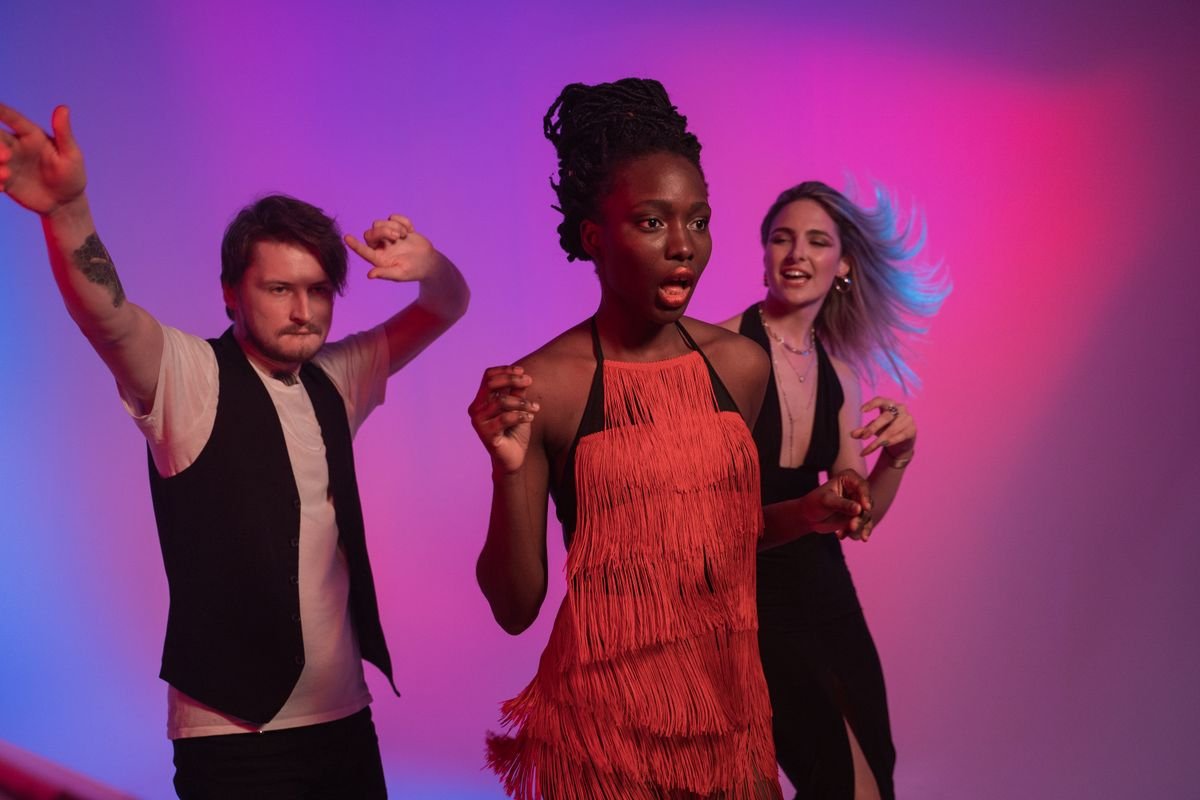
Decide whether the trio needs exact choreography
The word trio describes the number of performers, not a single set of moves. Before opening a generator, decide what makes your idea recognizable: three friends moving together, a particular front-to-back sequence, a costume combination, or a reference performance. These are different briefs. A loose group mood gives a video model room to invent movement. A requirement to reproduce specific steps leaves much less room, and a text prompt cannot turn that requirement into a guarantee.
For example, three adult friends might want a playful greeting with coordinated shoulder movements. That is a reasonable planning exercise for image-to-video. Another group might need the center person to move forward on the fifth beat while the others cross behind. Recording and rehearsing that sequence gives them direct control. Chipmunks Dance AI does not accept a choreography reference video, so choose the filming route when the timing and order are the point of the finished clip.
Give every person a clear place in the frame
In a reference photo, look at the outlines of the people before looking at facial expressions. Can you see where each arm belongs? Are two torsos overlapping? Does someone disappear behind a shoulder? A shallow diagonal or a gently curved line can make a trio easier to read than a deep single-file arrangement. This is a composition suggestion, not a promise that a model will preserve every detail during motion.
Keep the formation close enough to fit a vertical frame without forcing people against its edges. Ask for a steady camera and modest steps, rather than large sideways travel. If the source photo already hides someone, selecting a clearer photo is more useful than adding repeated instructions to reveal the hidden body. The model must invent unseen information, which increases uncertainty. A good starting frame reduces ambiguity before credits are involved.
| Starting arrangement | Useful choice | Tradeoff to check |
|---|---|---|
| Shallow diagonal | Small synchronized steps | Back person remains visible |
| Three people side by side | Restrained upper-body movement | Enough room near both edges |
| Deep single-file line | Film the actual routine | Rear faces may be hidden |
| Overlapping seated group | Choose another photo | Hidden legs would need to be invented |
Write a prompt that has one main action
A prompt is easier to evaluate when it describes one clear action. Begin with the number of adult dancers and their arrangement, then add a movement, camera instruction, and scene detail. Use ordinary language. Repeating technical words does not create an extra control. A request for gentle side steps with playful shoulders is more focused than a list of spins, jumps, swaps, facial expressions, moving lights, and camera cuts.
Refer to people by positions that are already visible, such as left, center, and right. Clothing can help you describe them, but it is not an identity lock. Avoid asking for a new outfit while also demanding exact face preservation and complicated movement. If clothing is part of the joke, start with the correct outfits in the photo. Keep the background simple enough that the people remain the main subject.
- Describe the three adults and their starting positions.
- Choose one shared movement that fits the available space.
- Ask for a steady view with all three people visible.
- Remove instructions that conflict with the photo or each other.
Treat lead changes as an optional complication
Changing the person at the front can be the central appeal of a social routine. It also introduces overlap, turns, and changing positions. In a filmed version, mark the starting positions and rehearse the change slowly before recording. Keep a clear path, and stop if someone loses balance or feels uncomfortable. You do not need a dangerous move to make a short group clip readable.
For an AI version, decide whether the lead change is necessary. A short clip that keeps all three people in place may communicate the same friendly energy with fewer moving parts. If you do request a change, describe one transition rather than several. Review whether the result actually preserves three separate people. Do not describe a distorted or missing person as a successful recreation merely because the task completed.
Review the whole clip before paying for another attempt
Watch the output once at normal speed, then pause at moments where people overlap. Count the dancers, check faces and hands, and look at the edges of the frame. A useful review distinguishes technical failure from a completed clip that does not match your taste. A task marked failed returns its reserved credits under the service rules. A completed render with an unwanted movement is not automatically a free regeneration.
Change one part of the brief at a time if you choose another paid attempt. If the camera moved too much, simplify the camera instruction. If a person became hidden, reconsider the source arrangement. If the routine needs exact timing, reconsider using AI at all. Check the displayed cost before submitting again, and set a personal limit on how many variations you are willing to buy. More attempts do not guarantee a particular outcome.
Prepare the trio clip for sharing
The current studio produces a vertical 720p MP4 using the duration selected before generation. Download a usable result while it is available, then add captions or licensed music in an editor or the destination platform. This studio does not provide a timeline, a sound-upload control, or a guarantee that any particular song will be available in your region. Keep the finished video understandable even when it is played without sound.
Ask everyone whose photo appears in the clip before sharing it. Keep a private copy and avoid posting an account or guest access link as though it were an ordinary video link. That link can carry access to purchased credits and private work. Share the exported file through the channel you intended instead. If the clip could be mistaken for a real performance, explain that it uses AI rather than presenting it as footage of an event that happened.
Frequently asked questions
Do I need three separate photos?
No. Image mode accepts one reference image, so use a suitable group photo when you want all three people represented. There are no separate identity slots. Text mode can instead describe an imagined trio without uploading a photo.
Can the tool copy the exact front-person swap?
It can interpret a written movement request, but it does not transfer choreography from a reference video or guarantee beat-by-beat swaps. Film the routine when that exact transition matters.
Will different clothing keep each face unchanged?
Distinct clothing can make the scene easier to describe and inspect, but it does not guarantee identity consistency. Review faces, limbs, and clothing throughout the finished clip.
Should I choose a longer duration for three people?
Choose duration according to the action, not simply the number of dancers. More time costs more credits and adds more movement to review. The studio shows the actual charge before you submit.
Can I retry without spending more credits?
A failed task returns reserved credits according to its original source. A new generation after a successfully completed clip is a separate request and has its own displayed cost.
Give your group a dance of its own
Create my dance video