How to Learn Chipmunks Dance Steps and Film Your Trio
By Chipmunks Dance AI Team · Chipmunks Dance AI product team
- Dance tutorial
- Practice exercise
- Three friends
- Filming
To learn the Chipmunks Dance you saw online, begin with that exact creator's video: the keyword covers several routines and edits. The practice exercise below is an original beginner sequence for three adults, not a transcription of a film scene or a creator's choreography. Use it to practice shared timing and clear framing. For exact steps, follow an authorized tutorial for your chosen version. For an imagined scene without performing the dance, consider the text-to-video tool on this page.
Make your chipmunks dance video
Describe people, formation, movement and camera. Exact movie choreography, song or identity is not guaranteed.
Seedance 2.0 · 720p · 9:16
By creating, you confirm you have permission to use your photo and prompt. Terms
Generation time varies. We show the actual task status after submission.
Identify the routine before you practice
Save the link to the exact post that made you want to learn the dance. Note its creator, the visible formation, and the sound attached to that post. A search result titled Chipmunks Dance may refer to a film dance scene, a group social trend, a costume performance, or an animal meme. Practicing a different version is frustrating when you are trying to join friends who already know one particular sequence.
Watch the chosen clip without copying it first. Notice where the dancers begin, whether they change places, and which moments repeat. If an authorized tutorial is available, use its explanations rather than guessing from a fast edit. Check whether the video is mirrored before deciding which side moves first. The exercise on this page gives you a starting structure for coordination; it does not claim to teach every routine associated with the keyword.
Make a small rehearsal space comfortable
Choose a clear, level area with enough room for each person to step sideways without touching another dancer or an object. Wear clothing and footwear that let you move comfortably. Keep loose cables, slippery objects, and long costume pieces out of the path. You can reduce the size of every movement. A short social clip does not need jumps, deep bends, or fast spins to look coordinated.
Agree on a simple stop signal before practicing together. If a move feels uncomfortable, leave it out rather than forcing it to match a video. Put the camera outside the movement area, and make sure a phone stand cannot fall into someone’s path. These are practical filming precautions, not a fitness program. Each person should choose movements appropriate to their own comfort and ability.
Try an original eight-count coordination exercise
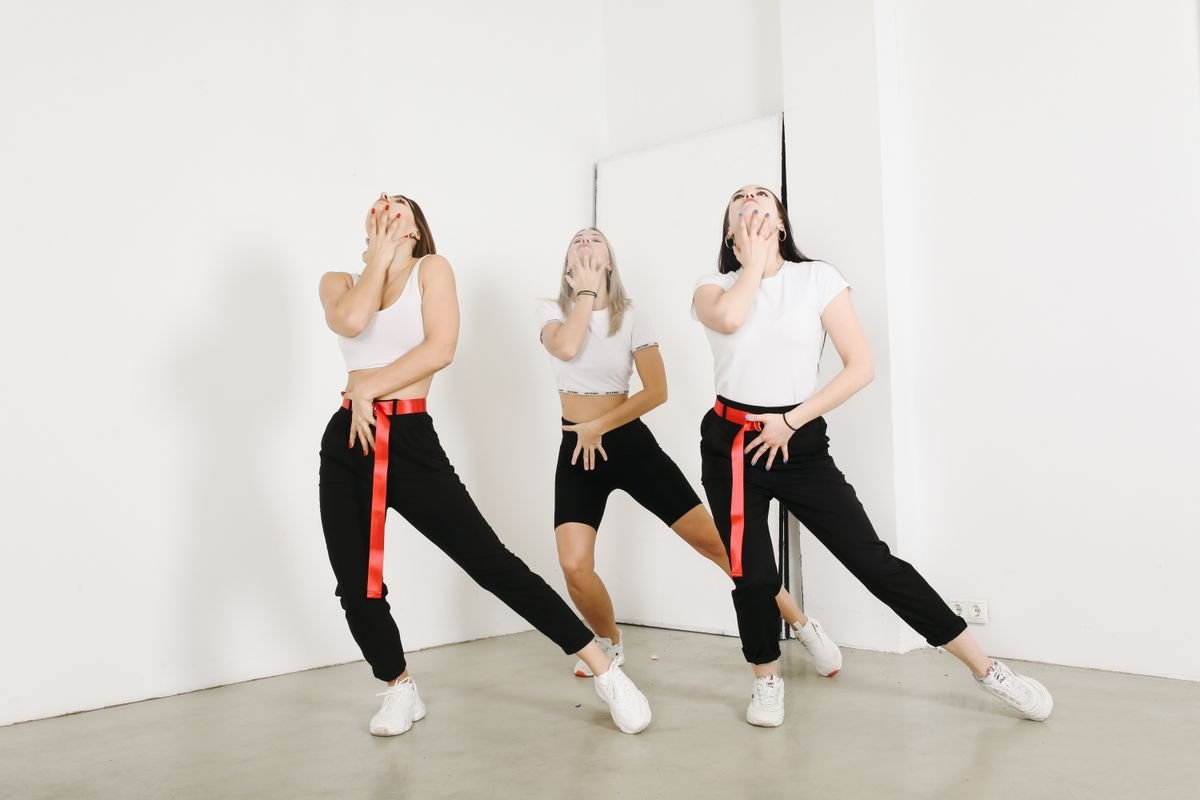
Stand in a shallow line with comfortable gaps and face the same direction. Count out loud at a pace everyone can follow. On one and two, take a small step to one side and bring the other foot near it. On three and four, return in the opposite direction. On five and six, keep the feet settled and add a small relaxed shoulder movement. On seven and eight, pause together in a simple pose.
Practice without music first so the group can hear the shared count. Keep your arms close enough that they do not hit another person. Repeat only when everyone is comfortable, and let one person call the count if that helps. The point is to start and finish together, not to make the largest movement. Once the sequence is clear, choose music you are permitted to use and adjust the pace without changing the basic order.
- Counts 1–2: a small side step and close.
- Counts 3–4: return with another small side step.
- Counts 5–6: relaxed shoulders while staying in place.
- Counts 7–8: settle into a shared finishing pose.
Add a formation change only if it improves the clip
A formation change can give each friend a moment at the front, but it is optional. First record the stationary exercise and check whether the group is already easy to read. If you want a change, plan a walking path with space between people and practice it slowly without music. Decide who moves and who stays still. Avoid asking everyone to cross through the same central point at once.
For a filmed social clip, you can also record separate takes with a different lead person and join them in an external editor. That avoids making a difficult swap happen in one continuous shot. Be clear that this is an editing choice, not a feature of the generator on this page. If you prefer one uninterrupted performance, keep the movement within the camera frame and review a rehearsal before recording the final take.
| Goal | Practical route | What to check |
|---|---|---|
| Everyone visible | Keep positions fixed | Faces and feet stay in frame |
| Each friend leads | Record separate takes | Use an external editor |
| One continuous swap | Rehearse a clear walking path | No collisions or hidden dancers |
| Imagined scene | Describe it in text-to-video | Movement will be interpreted |
Record for a phone screen
Set the phone vertically if your final destination is a vertical feed. Position it so the dancers fit before they start moving, including room above their heads and around their feet. A plain background and even light make the performance easier to see. Avoid standing in front of a bright window that turns faces into silhouettes. Make a brief framing check before you spend time rehearsing a complete take.
Watch that check on the same kind of screen where you expect people to view the video. Small gestures can become hard to read when the image is reduced. Keep captions away from faces and important footwork, and leave room for the destination app’s controls. Platform layouts change, so inspect the final upload preview instead of relying on one permanent safe-area measurement. Save an original copy before adding filters or text.
Choose filming or AI according to what matters
Filming records the performance your group actually does. That makes it the stronger choice for exact choreography, a real event, or a recognizable interaction between friends. It requires a place to meet, agreement on the routine, and a usable recording. Text-to-video is useful for imagined settings or a fictional trio. Image-to-video can animate a suitable group photo, but movement and identity can change.
The studio here offers standard Seedance 2.0 text and image generation, not a dance coaching system. It does not score your steps, analyze an uploaded routine, or transfer a soundtrack. Before using credits, decide whether an interpreted AI clip would still satisfy your idea. If the answer is no, use the free practice and filming guidance instead. Paying for generation is only sensible when the kind of output matches your goal.
Frequently asked questions
Is this the exact Chipettes movie dance?
No. The counted sequence is an original coordination exercise. Use an authorized source for a specific film scene or creator routine, and distinguish that source from a general trend-inspired practice.
Can two people practice the exercise?
Yes. The simple side steps and shared finishing pose do not depend on having three people. Keep comfortable spacing and adapt the formation to the number of participants.
Do I need the original song to learn the timing?
You can practice the counts without music. For a specific routine, its authorized tutorial may use a particular track. Permission to use that recording in a public post is a separate question.
Can I upload my dance video to this tool?
The current studio accepts text or one still image, not a reference dance video. It cannot evaluate your rehearsal or copy the exact movements from your recording.
Will an AI version be faster than filming?
That depends on your preparation, the model queue, and whether the output meets your needs. There is no guaranteed completion time. Choose based on the file you need, not an unverified speed claim.
Give your group a dance of its own
Create my dance video